YETI
Global Navigation Series
As YETI's business strategies shift year to year, I've redesigned the global navigation from 2023-2025 as the Lead UX UI Designer to best meet the needs to push the business forward.
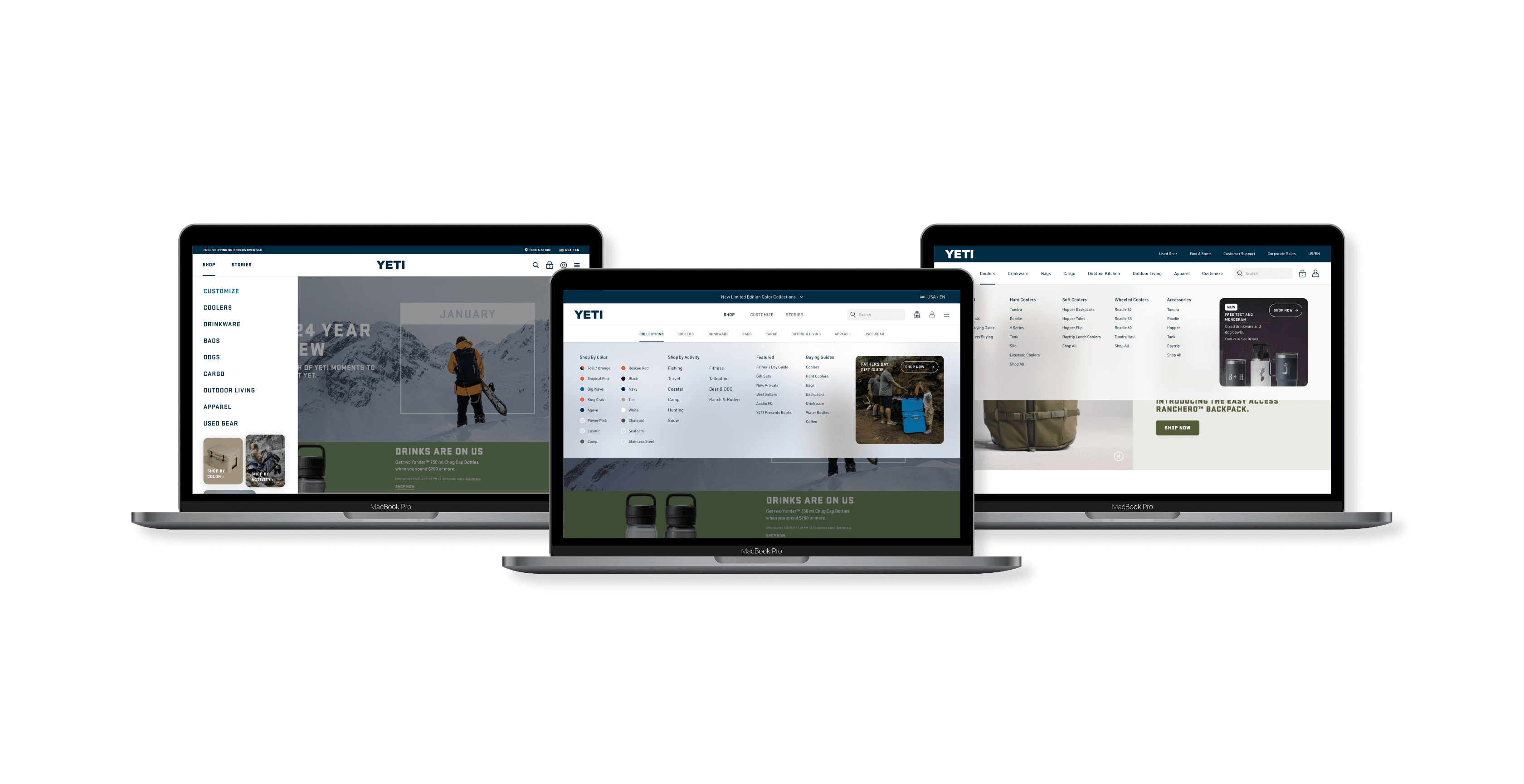
Global Navigation 2023
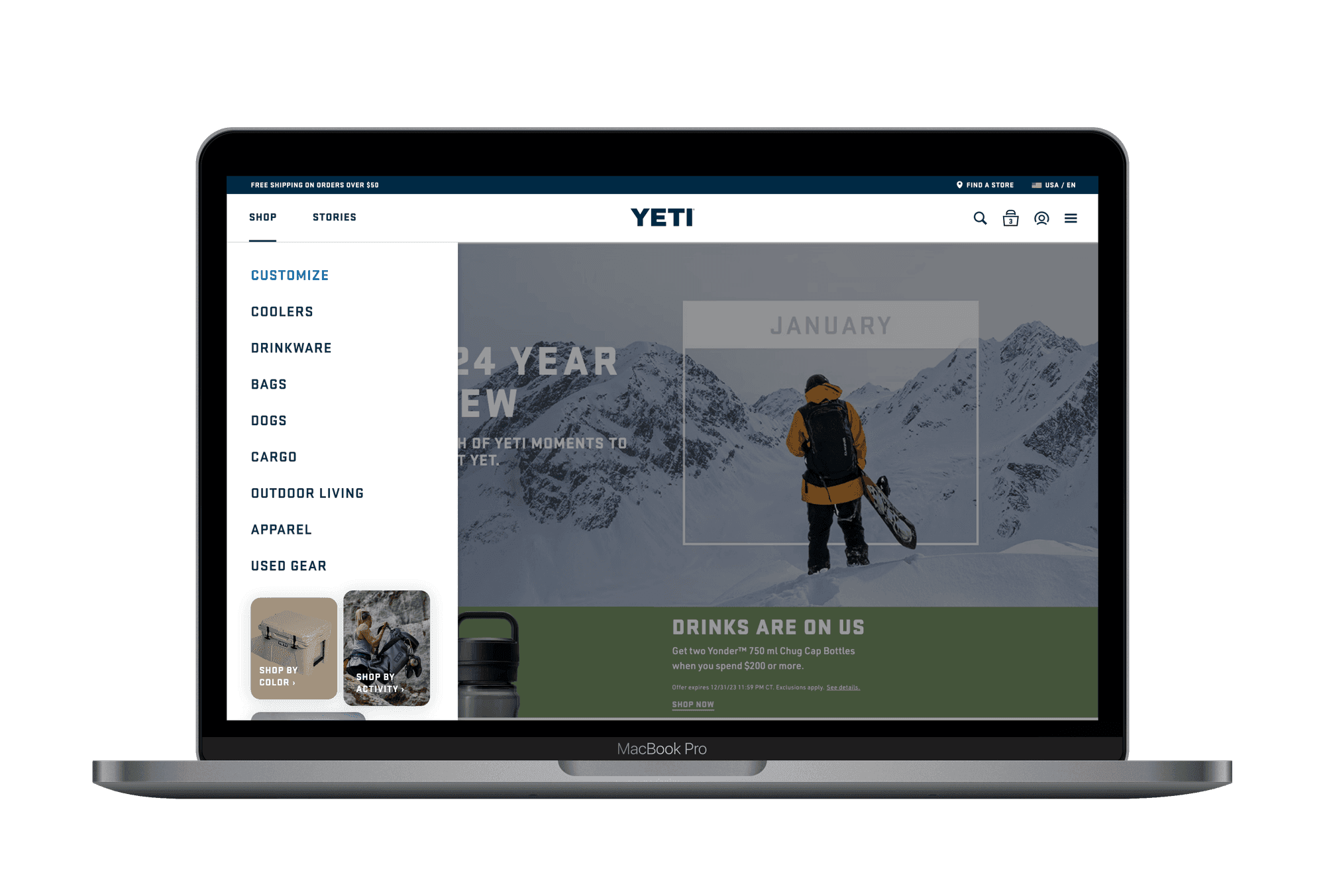
Problem
There was a need to explore a new design for the global navigation on site which keeps the top level navigation clean, but also allows an additional layer of navigation segmentation that helps support a growing catalog and product selection.
Pain Points
L2 and L3 only do not allow merch to effectively categorize, and merchandise their products to customers in the nav with the growing catalog
Do shop by color and shop by activity provide value? Should those be put within the product categories themselves?
How can we get customers down the funnel faster, but also provide a clear picture of the products we offer and how we can serve their needs?
Design Opportunity
Reduce amount of clicks to get to sub category, Categories are expanding need to prepare for future, introduce layers of shopping sooner
Improve organization and reduce cognitive load, possibly offer sub categories as attribute-style options or in dropdown
Organization and Reduced Cognitive Load
The previous navigation design was a drop down from the top bar which had difficult navigation and learnability for users.
With the new design, I led with a side drawer for the desktop version and a full screen takeover for the mobile. The goal was to create easy-to-digest layers for each level of products. By breaking each level into separate steps / pages, we simplified the experience and reduced cognitive load for users.
I reorganized the hierarchy of this experience in several ways but one of the most impactful was moving the "My Account" CTA and language selector to the top of the page. These are two elements that are vital for users to have easy access to.
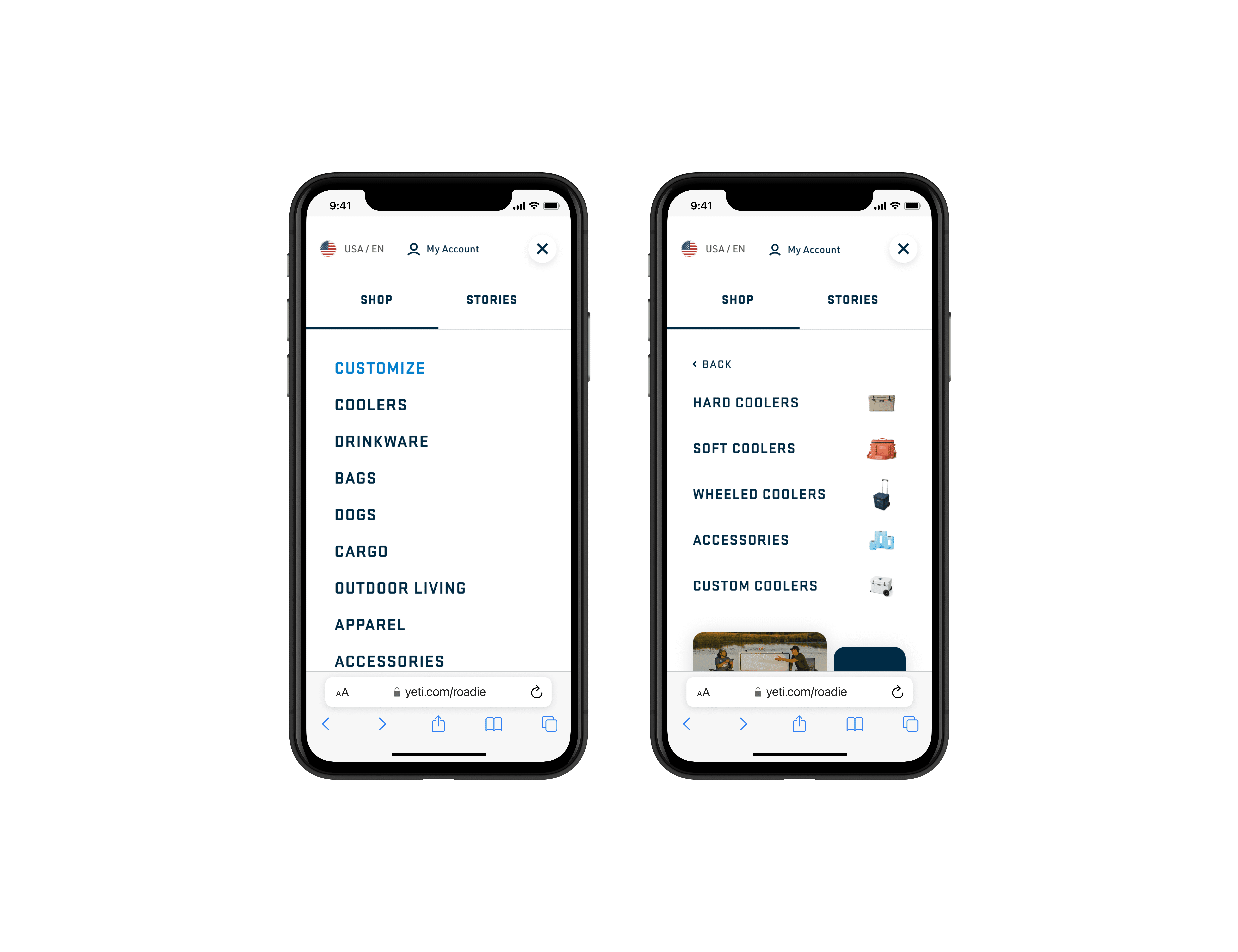
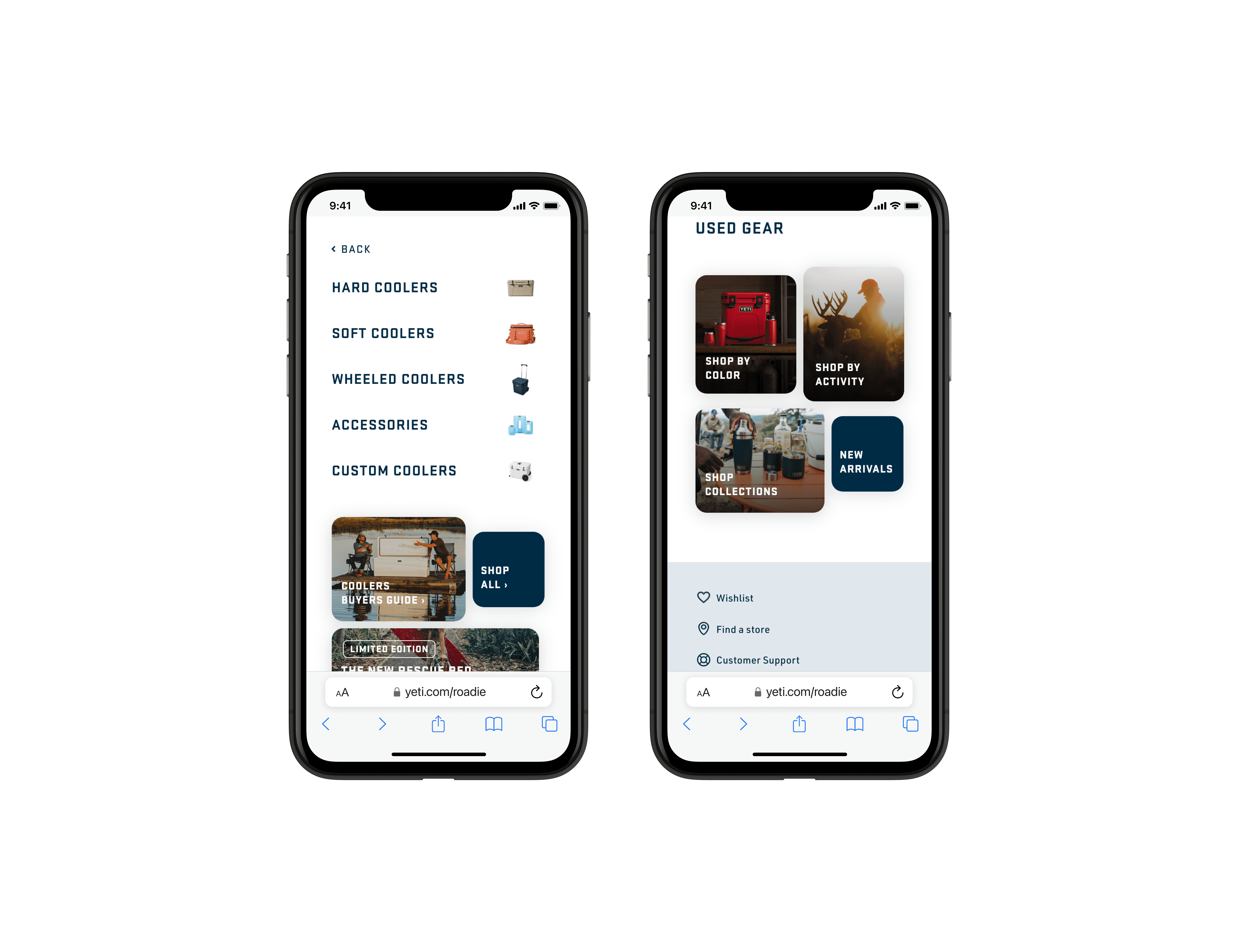
Visual Development and Guiding
In the process of redesigning the global navigation for the site, I wanted to add more visual elements that could make the experience easier to quickly move through.
One way I executed this goal was by adding product thumbnails next to each categories which allows the users to scan through the listing faster.
I also created tiles at the bottom of each page that hold some of our most popular landing pages such as "Shop by Color" and "Shop by Collections".
Global Navigation 2024
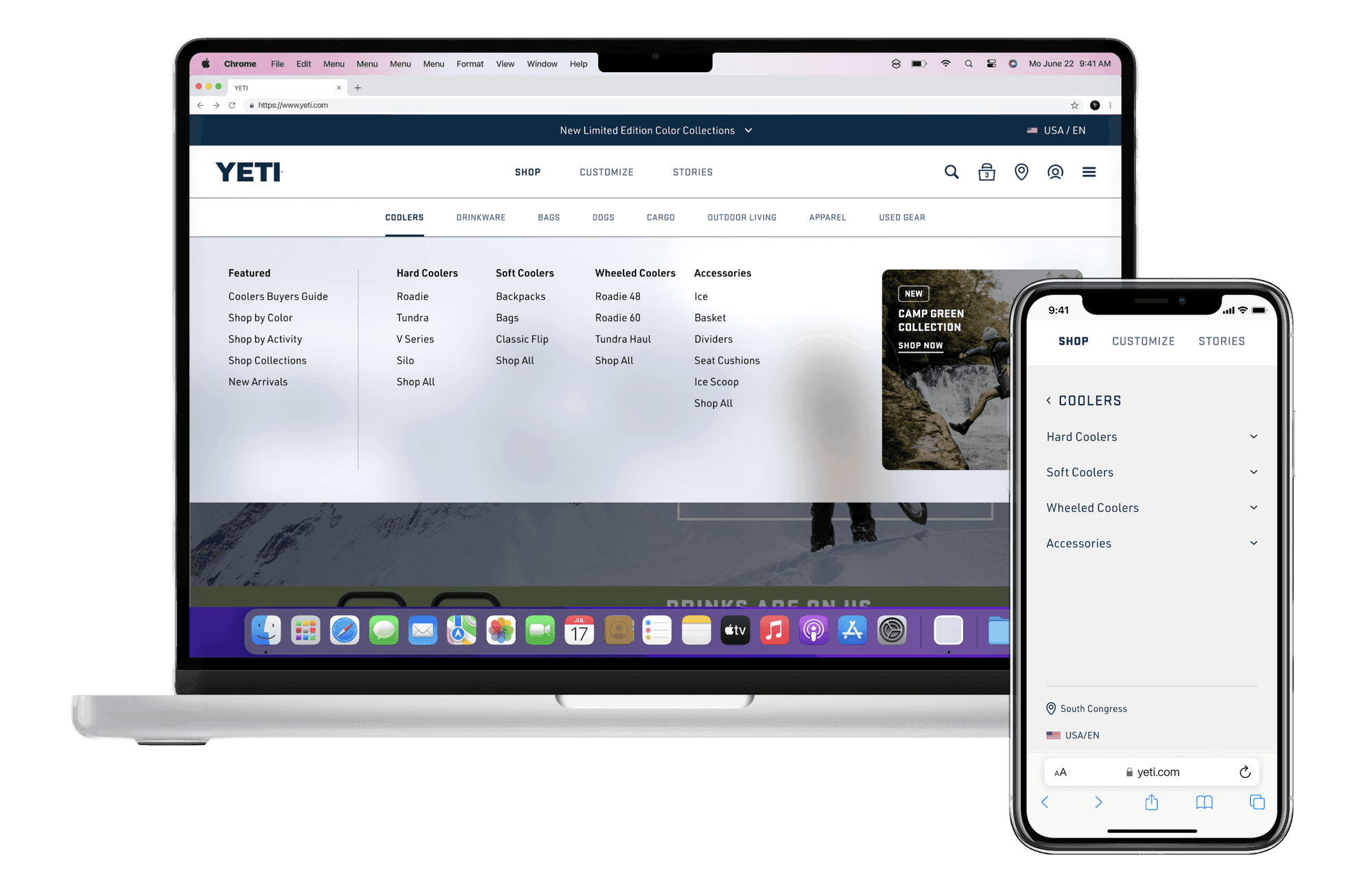
Problem
We noticed a trend in global navigations among our successful competitors that was a maximalist take on navigation layout and wanted to test how a navigation like that would perform with our customers. Our stakeholders also really wanted to explore a version that laid out the entire breadth of our product catalog as a company.
Design Opportunity
Expose the full catalog of products in the navigation for better visibility and discoverability for product categories for users.
Optimize organization and layout to reduce cognitive overload.
Visual Complexity and Segmentation
For this test, my goal was to add our unique perspective to a design trend that had become quite prominent among our competitors. Rather than simply following the trend, I wanted to infuse our own style while still aligning with what users were becoming accustomed to. I chose to implement a background for the drawer with low opacity and a subtle blur effect. This design choice not only helped create a modern, visually appealing look, but it also ensured the content remained legible and accessible, meeting key accessibility standards. The blur effect added a sense of depth and sophistication, while the reduced opacity prevented the background from overpowering the content, maintaining the focus on the primary information.
A major consideration during this iteration was to preserve the existing layering structure from the first version. I didn’t want to overwhelm the user by introducing too many potential entry points or visual distractions. By keeping the layering consistent, we maintained a smooth, intuitive flow that didn’t confuse or overwhelm the user. The goal was to create a seamless experience that felt fresh and engaging, without complicating the navigation. This balance of creativity, accessibility, and usability was crucial in ensuring that the design was both functional and visually striking.
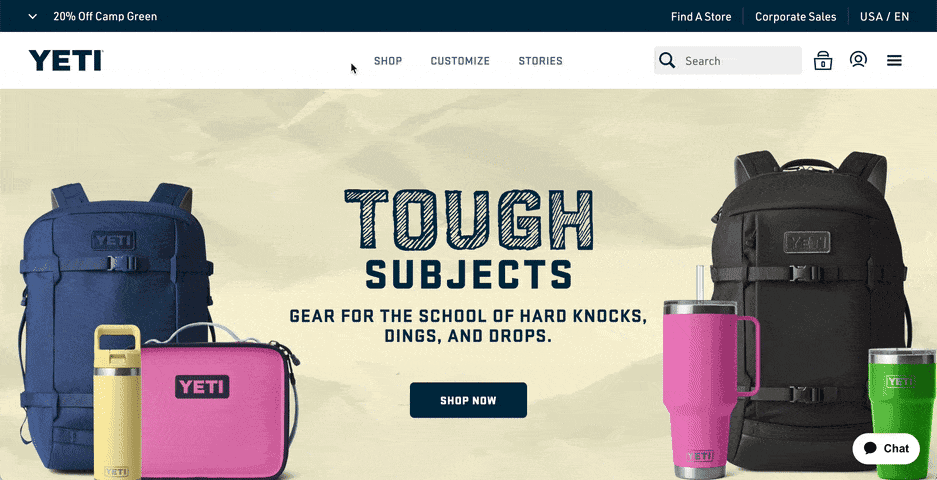
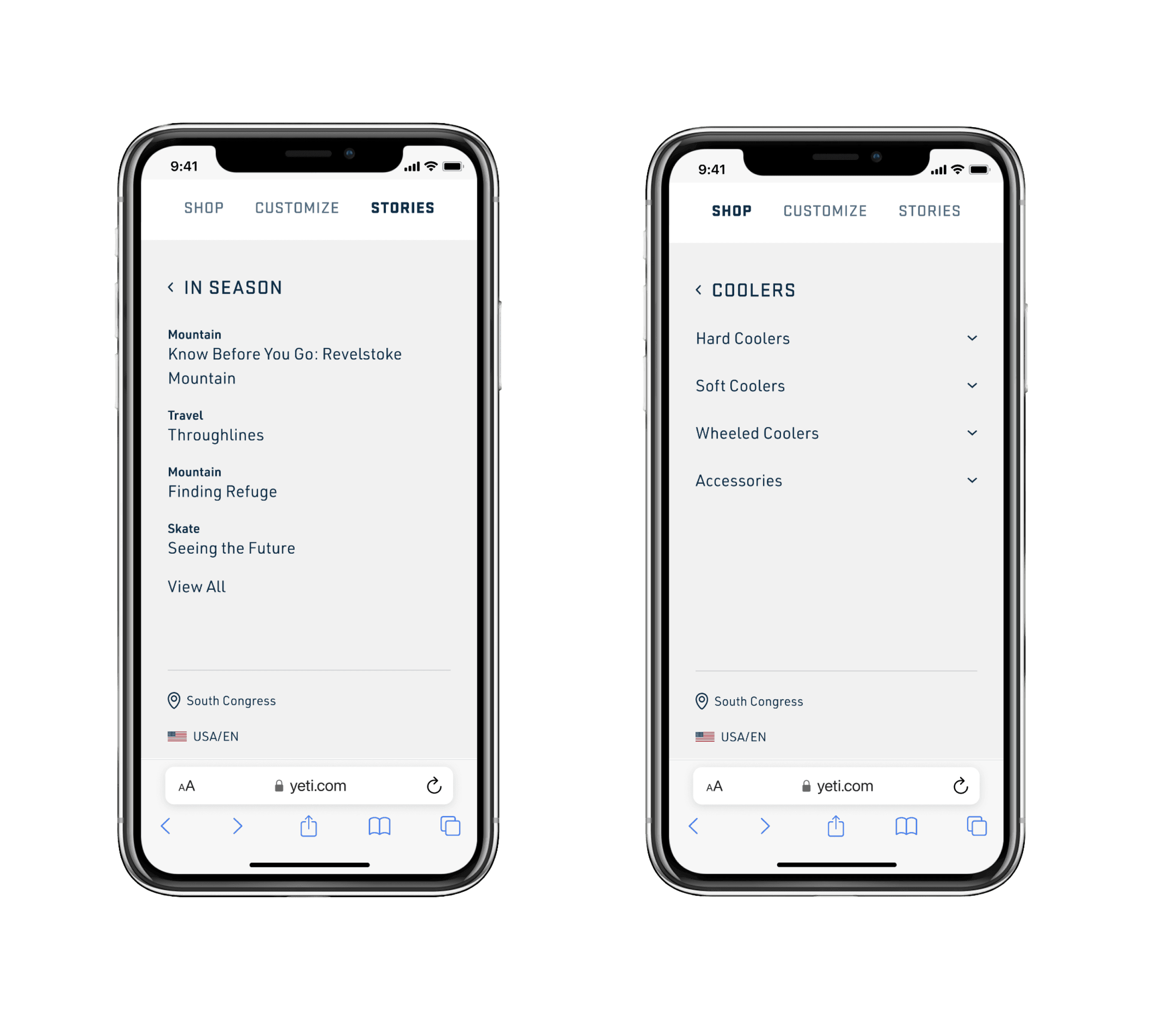
Information Hierarchy
Choosing the right font, font size, and font weight played a pivotal role in establishing a clear and effective visual hierarchy for this project. A well-structured hierarchy is critical for guiding users through the content effortlessly; without it, users would likely struggle to process information and locate what they’re searching for. I carefully considered the balance between readability and emphasis, ensuring that the most important elements stood out while still maintaining a cohesive flow across the design.
Another significant challenge was designing intuitive hover and selected states, which are essential for providing users with clear feedback as they interact with the interface. The interaction states needed to feel seamless and responsive to enhance the overall user experience. Additionally, I focused on selecting the right iconography for collapsible sections to make them easily recognizable and accessible, improving the navigational flow.
Lastly, I rethought the positioning of key elements like the 'Find A Store' and 'Language Selector.' Both features had to be relocated to ensure they were easily accessible but didn’t overwhelm the layout. The goal was to improve their visibility while maintaining a clean and user-friendly design.
Navigation and Flyout Redesign 2025 (Current Navigation on YETI.com)
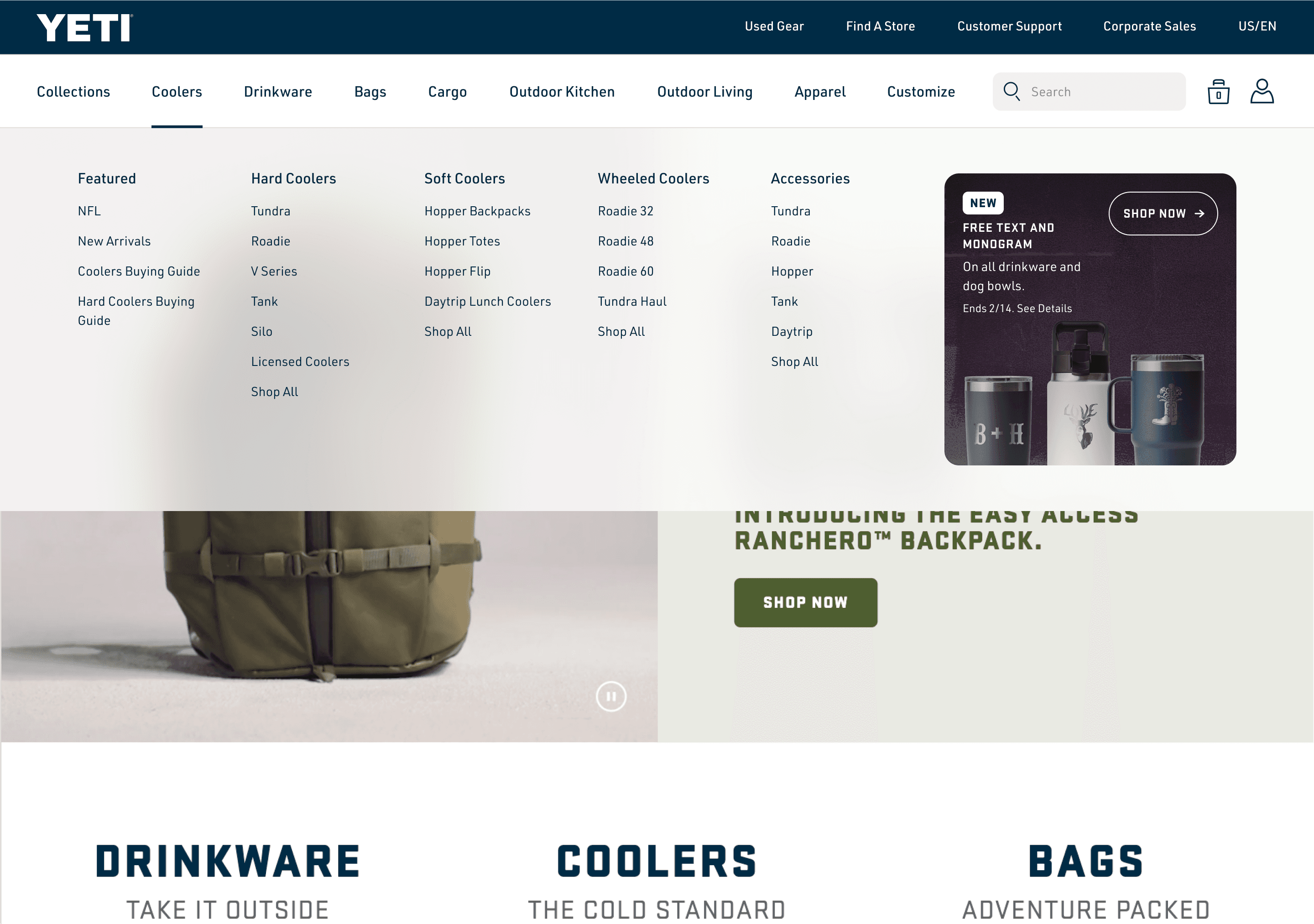
Problem
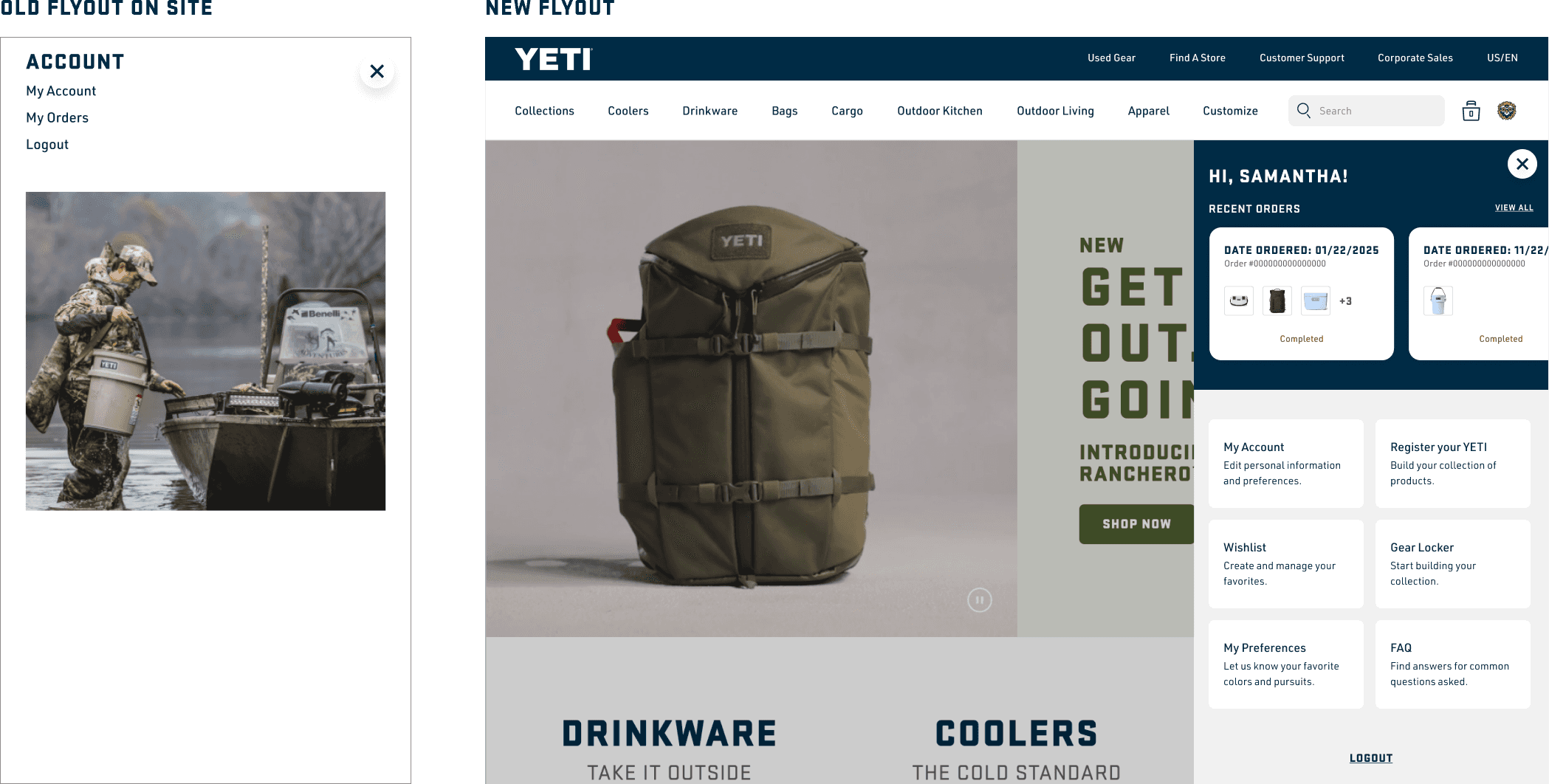
In preparation for the growing catalog, we needed to explore a way to expose our product categories more effectively and make room for the future product expansions. I also saw this as an opportunity to redesign two flyouts that are linked in our navigation.
Pain Points
Too many layers in the current navigation before customers see all the product categories
Lack of real estate in current navigation bar
Outdated account and customer service flyouts that lacked hierarchy and brand styling
Design Opportunity
Reduce amount of layers to get to product categories
Restyle navigation links and layout to create more design real estate
Restructure hierarchy and restyle account and customer support flyouts to match brand styling and bring attention to important resources for customers
Global Navigation
I started this project out by moving our YETI logo to the top bar and restyling our product category links to be a lighter font which created more design real estate to fit more product category links. We took some of the most important links from our Customer Support flyout and moved them into the that top navy bar of the navigation next to our language selector. I also did a character count study to give our Merch team a good gauge on what they could fit and set min and max widths for our search bar for all the different viewports our desktop version would appear on.
Account Flyout (Logged In)
For this test, my goal was to add our unique perspective to a design trend that had become quite prominent among our competitors. Rather than simply following the trend, I wanted to infuse our own style while still aligning with what users were becoming accustomed to. I chose to implement a background for the drawer with low opacity and a subtle blur effect. This design choice not only helped create a modern, visually appealing look, but it also ensured the content remained legible and accessible, meeting key accessibility standards. The blur effect added a sense of depth and sophistication, while the reduced opacity prevented the background from overpowering the content, maintaining the focus on the primary information.
A major consideration during this iteration was to preserve the existing layering structure from the first version. I didn’t want to overwhelm the user by introducing too many potential entry points or visual distractions. By keeping the layering consistent, we maintained a smooth, intuitive flow that didn’t confuse or overwhelm the user. The goal was to create a seamless experience that felt fresh and engaging, without complicating the navigation. This balance of creativity, accessibility, and usability was crucial in ensuring that the design was both functional and visually striking.